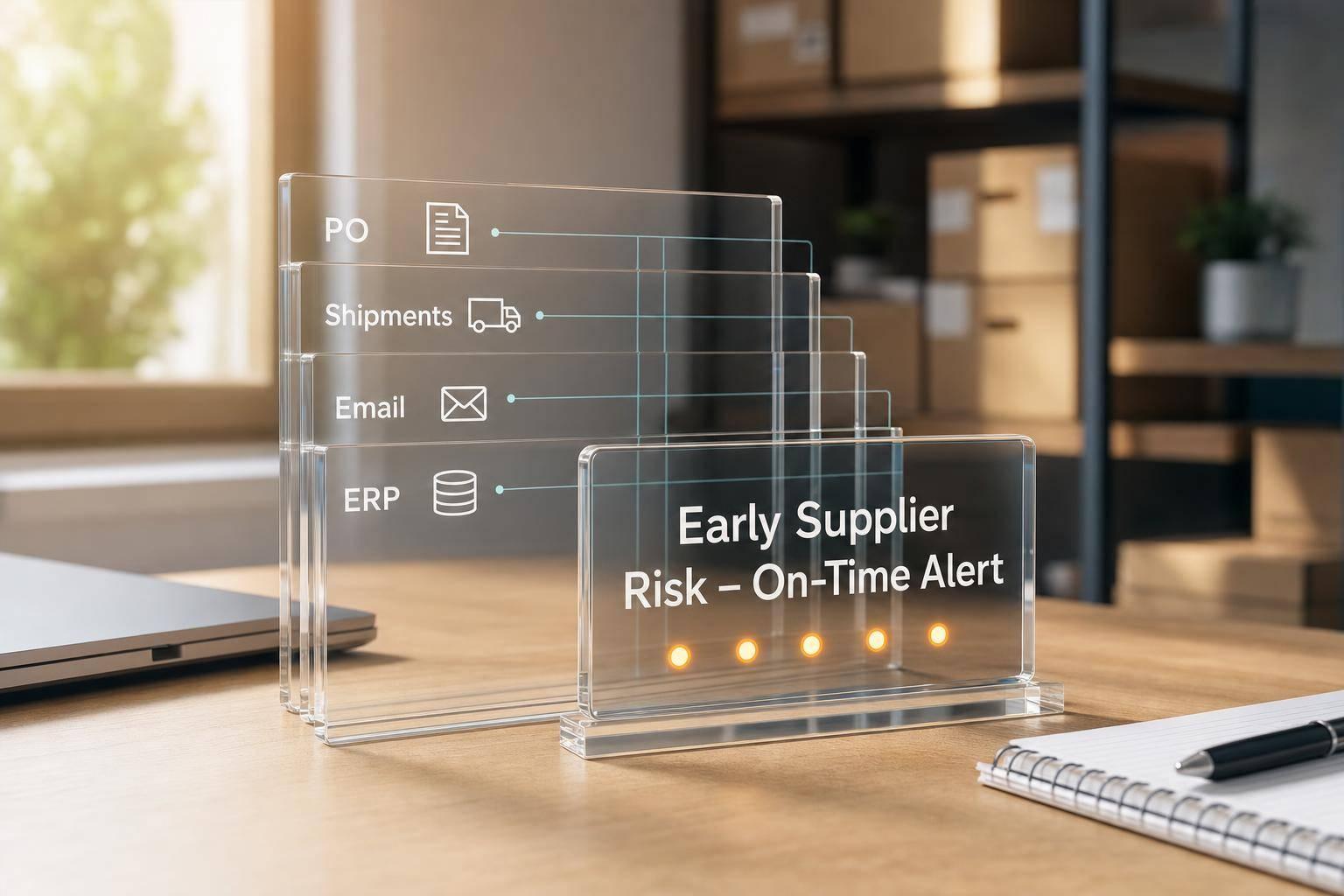
Supplier Workflow Automation: Guide for ERP Teams
.png?width=40&height=40&name=julie-miller-square%20(1).png)
TDLR: If supplier work still lives in inboxes and spreadsheets, your ERP team is losing time, data quality, and control. I’d start with vendor setup, PO confirmations, shipment updates, and invoice exceptions, then run simple ERP triggers, role-based rules, and segment-based rollout to cut manual touches and shorten response times.
35%–50% of procurement time still goes to follow-up and manual entry, costing about $35,000–$50,000 per buyer each year. The fix is not “automate everything.” It’s to automate the few supplier workflows that happen every day, use clean ERP fields as triggers, track supplier use and internal use separately, and roll out in waves.
Here’s the short version:
- Start with high-volume supplier tasks: onboarding, PO acknowledgments, shipment updates, invoice match issues
- Use clean ERP triggers: new vendor record, PO release, ship date change, ASN post, delayed receipt, invoice mismatch
- Set rules by supplier group: direct, indirect, tail spend, international
- Track two types of use: supplier participation and internal team usage
- Measure results with six KPIs: confirmation time, OTD, exception rate, invoice match rate, onboarding time, and manual touches
- Pilot with 10–30 suppliers and compare results at 30, 60, and 90 days
If I were leading this work, I’d keep the first phase narrow, tie every workflow to an ERP event, and make sure approvals, audit logs, and ownership are clear from day one.
Supplier workflow automation is about moving supplier-facing work from manual follow-up to rule-based action inside the ERP. The article’s main point is simple: map where people leave the ERP, connect those gaps to trusted ERP triggers, apply rules by supplier risk and type, and measure whether behavior actually changes.
A few points stand out.
First, the best starting point is repeat work with lots of follow-up. That usually means vendor onboarding, PO collaboration, shipment status updates, document collection, and scorecard-based issue handling. These areas hit daily work, create delays when handled by email, and can often be set up without a long first phase.
Second, data quality decides whether automation works. If vendor records, PO fields, requested dates, receipts, or invoice data are inconsistent, the workflow will fail or create noise. That’s why the article puts so much weight on choosing triggers only from ERP fields your team already trusts.
Third, not every supplier should follow the same path. Direct-material and high-spend suppliers need tighter response windows and more approvals. International suppliers need added tax, trade, and screening steps. Tail-spend suppliers usually need lighter workflows so the process does not become harder than the risk calls for.
The article also makes a strong case for control around vendor data. Bank changes, remit-to changes, and TIN updates should never move through as simple edits. They need separate request, review, and approval steps, plus field-level logs with user IDs and timestamps.
For PO collaboration, the core idea is straightforward: send the PO, request a structured confirmation, remind at set intervals, and write accepted dates and quantities back to the ERP. If a supplier change falls outside your tolerance, route it to a buyer instead of letting it update automatically.
For invoices and documents, the goal is to route clean transactions straight through and send only true problems to people. That cuts rework in AP and gives buyers and planners a cleaner queue.
The article’s measurement section is one of its strongest parts. I like that it separates adoption from impact. A supplier might be live in the workflow, but if buyers still send side emails, the process has not changed. That’s why teams should track both:
- supplier response through the workflow
- internal handling inside the workflow
- business results after rollout
The KPI set is also clear and usable:
- confirmation cycle time
- on-time delivery
- exception rate per PO
- invoice first-pass match rate
- onboarding cycle time
- manual touches per transaction
The sample segment comparison shows the kind of lift teams should look for: lower error rates, fewer touches, and higher supplier response rates after automation. That side-by-side view matters more than looking at one pooled average.
On rollout, the advice is to pilot with a narrow group and clear risk limits. A first wave of 10 to 30 suppliers covering 20% to 40% of monthly PO lines is enough to show whether the model works. I also agree with keeping critical revenue-linked supply lines out of the first pilot if any slip could hit production.
The closing governance model is simple and useful:
- Procurement owns segmentation and rules
- Operations owns exceptions and SLAs
- Finance owns vendor master controls and AP metrics
- IT owns integrations, data quality, and security
That split helps stop the common failure mode where automation goes live, but no one owns rule changes, bad master data, or process drift.
If I had to reduce the whole article to one takeaway, it would be this: don’t start with software; start with repeat supplier work, clean ERP triggers, and clear ownership. Once those are in place, automation can cut manual effort, shorten cycle times, and give teams a cleaner view of supplier activity inside the ERP.
Autonomous ERP D365 Supplier Communication Agent
sbb-itb-b077dd9
Plan the Automation Model: Processes, Data Triggers, and Business Rules
Before you configure any workflow, step back and look at the basics: process maturity, data quality, integration readiness, ownership, and governance. Talk to stakeholders. Review exceptions. That’s usually where the mess shows up.
Start with the workflows already identified, then map how each one moves through the ERP in practice, not just on paper.
Map the Current Supplier Workflow from ERP Event to User Action
Walk through the full procure-to-pay cycle and document each step, handoff, and tool. The point is simple: find where the ERP has complete records and where people fall back to inboxes, phone calls, or spreadsheets.
Watch procurement, receiving, and AP teams do the work. Then run cross-functional workshops with buyers, planners, warehouse staff, and finance to finish the map. Cover every stage:
- Vendor creation
- PO issuance
- Supplier acknowledgment
- ASN receipt
- Goods receipt
- Invoice matching
- Performance review
For each stage, note the system in use, who takes action, and what happens when something breaks.
The final map should make one thing plain: where ERP records stay complete, and where manual workarounds take over. Those workarounds are your automation targets. Once you can see the handoffs, you can tie each one to a trigger the ERP can detect.
Choose ERP Data Triggers That Start the Right Workflow
Use only ERP fields that are populated in a consistent way and can be trusted. After you confirm data quality, line up triggers with business impact. The highest-value starting points are below.
| ERP Trigger | Automated Response | Business Outcome |
|---|---|---|
| New vendor record created | Request W-9/W-8, start TIN validation, run OFAC check | Faster, compliant onboarding |
| PO created or revised at $10,000 or more | Send confirmation request via the supplier portal or email; remind at 24, 48, and 72 hours if no reply | Shorter confirmation cycle |
| Requested ship date changed | Notify buyer, update the supplier portal, and flag downstream production orders | Fewer scheduling surprises |
| ASN posted | Match to PO lines, update ERP delivery status | Reduced manual status chasing |
| Receipt delayed > 3 business days | Send supplier status request; alert planner if tied to customer orders | Better on-time in-full (OTIF) |
| Invoice fails three-way match | Route to AP and the buyer with categorized exception reasons and PO/receipt data | Fewer manual AP interventions |
| Supplier score drops below threshold | Trigger an automated alert and scorecard review | Proactive performance management |
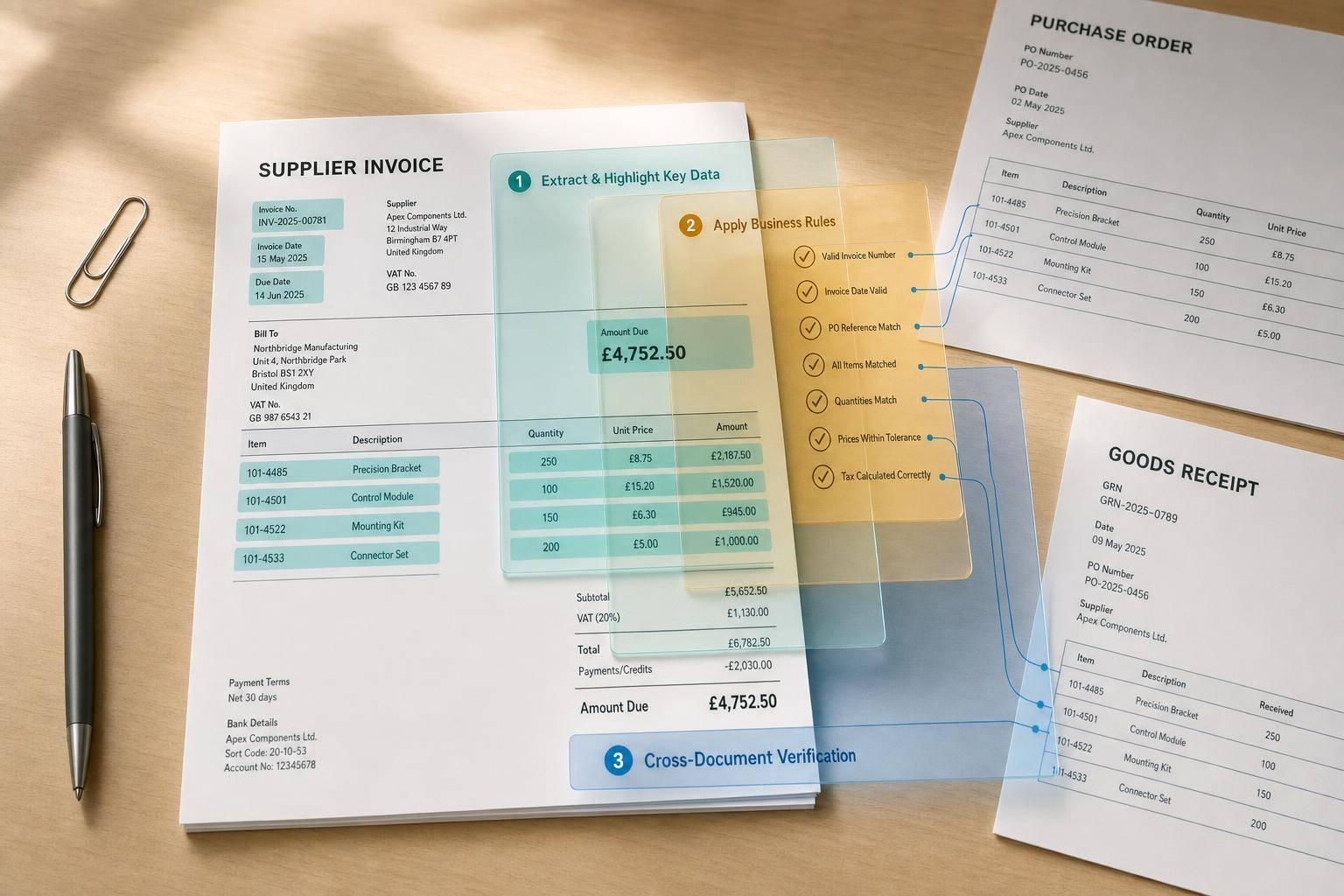
Research on automated three-way matching reports a drop in invoice error rates from 4% to under 0.5% after automation, along with a 70% cut in processing time. Automated PO acknowledgment workflows have delivered an 80% cut in confirmation cycle time in documented deployments.
Those gains depend on triggers built on clean, steady ERP data. If the source fields are messy, the workflow will be messy too.
Leverage AI integrates with ERP systems to automate supplier follow-ups, track POs and ASNs, and update supplier status in real time. Once the trigger list is in place, the next step is to apply rules by supplier segment and risk.
Set Rules by Supplier Type, Risk, and Compliance Requirements
Not every supplier needs the same level of review. Direct-material suppliers tied to production should have tighter confirmation SLAs and faster delay follow-up than indirect or tail-spend vendors. Strategic suppliers should also have automated scorecard reviews and escalation paths when performance drops.
For domestic U.S. suppliers, onboarding workflows should require W-9 collection, IRS TIN validation, and OFAC sanctions screening before a vendor is activated in the ERP. International suppliers need W-8 forms, extra export-control checks, and routing through legal or trade compliance. For high-spend strategic domestic suppliers, require approvals from procurement, finance, and IT before activation.
There’s also a basic control you don’t want to skip: separate the requestor, the record creator, and the approver. Apply that same separation to bank changes, remit-to changes, and TIN updates. Each one should kick off a new approval workflow instead of moving through on its own.
Here’s how rule intensity can scale by supplier segment:
| Supplier Segment | Confirmation SLA | Onboarding Controls | Approval Routing |
|---|---|---|---|
| Strategic / Direct | 3 business days; escalate to category manager at 72h | W-9 or W-8, TIN validation, OFAC screening, multi-step approval | Procurement + Finance + IT |
| Standard / Indirect | 5 business days; auto-reminder at 96h | Basic onboarding and sanctions check | Procurement + Finance |
| Tail Spend / Low-Risk | Simpler rules and fewer touchpoints | Basic onboarding; invoice automation | Fewer approval steps |
| International | Risk-based review | W-8, OFAC screening, export-control checks, legal/trade compliance review | Procurement + Legal + Finance |
If segmentation is off, automation tends to treat every supplier the same way. That’s where teams waste time. Get the segments right at the start, and your rules will match actual business risk, so people spend their time where it matters most.
Automate the Core Supplier Workflows Connected to ERP
Once your triggers and supplier segments are in place, it’s time to automate the work that usually eats up the most time inside ERP: onboarding, PO collaboration, and performance management. At this stage, you’re not designing rules from scratch. You’re putting the rules you already set into action.
Start with vendor records. That’s usually where bad data sneaks in and causes a chain reaction of rework later.
Onboarding, Vendor Master Changes, and Compliance Workflows
No supplier should be added to the ERP, or updated in it, through a loose manual process. Every vendor record should begin with a structured digital intake that collects the legal name, tax ID/EIN, bank details, payment terms, and primary contact before anything is written into the ERP.
From there, automation checks tax IDs, sanctions, bank details, and duplicate records before routing the supplier for approval by procurement, finance, and compliance. Once approved, the system creates or updates the vendor master entry in the ERP. That cuts down on duplicate records, half-finished profiles, and payment setup delays.
The same rule should apply to vendor master changes. A bank account update, remit-to address change, or TIN correction shouldn’t slide through like a simple edit. Each one should trigger a new approval chain. And every field-level change should be logged with a user ID and timestamp so audit teams can trace what changed, when, and by whom.
Once supplier data is clean, move to the highest-volume transaction: PO collaboration.
Purchase Order Collaboration, Confirmations, and Delay Follow-Up
After a PO is approved, send it to the supplier and request an acknowledgment with a due date. Suppliers should confirm receipt, delivery date, quantities, and pricing through a structured response, not a loose email reply. Those confirmed dates should write back to the PO line in the ERP automatically.
Set reminders at 24 and 72 hours. Escalate at 96 hours to the buyer or category manager. If a supplier proposes a change outside tolerance, route it to a buyer before anything updates in the ERP. If the change is within tolerance, accept it automatically and write it back to the PO line.
Leverage AI automates PO follow-up, tracks late or at-risk orders, and surfaces at-risk POs by supplier, plant, and product line.
Once confirmation workflows are running smoothly, shift to scorecards and exception handling.
Performance Tracking, Document Automation, and Exception Handling
Build scorecards using 5 to 7 KPIs pulled from ERP, quality, AP, and collaboration data, then review them on a fixed monthly cadence. If a supplier’s on-time delivery drops below 95% or its defect rate goes above 1%, the scorecard should trigger a corrective-action workflow automatically. That means creating a root-cause analysis task, notifying the category manager, and logging the action in the ERP.
Use AI parsing to pull PO numbers, quantities, prices, and dates from invoices, packing slips, ASNs, and POs, then match that data against the ERP. Invoices that match within your configured tolerance can go straight through. Anything outside that range should create a structured exception in the ERP and route it to AP or the buyer, with the PO and receipt data already attached.
Route each exception by issue type so it lands with the right owner instead of bouncing around.
| Exception Category | Route To | Automation Role |
|---|---|---|
| Failed tax or sanctions validation | Compliance / Procurement | Flags and holds; provides screening detail |
| Three-way match failure beyond tolerance | AP + Buyer | Creates exception with PO, receipt, and invoice data |
| Supplier proposes critical PO change | Buyer / Category Manager | Routes for approval; blocks ERP update until resolved |
| OTIF or defect rate below threshold | Category Manager / Quality | Triggers corrective-action task and scorecard flag |
| Bank account or TIN update request | Finance / Compliance | Initiates new approval chain; logs field-level change |
Use these automated workflows as the baseline for adoption and ROI tracking.
Measure Adoption, Operating Impact, and ROI
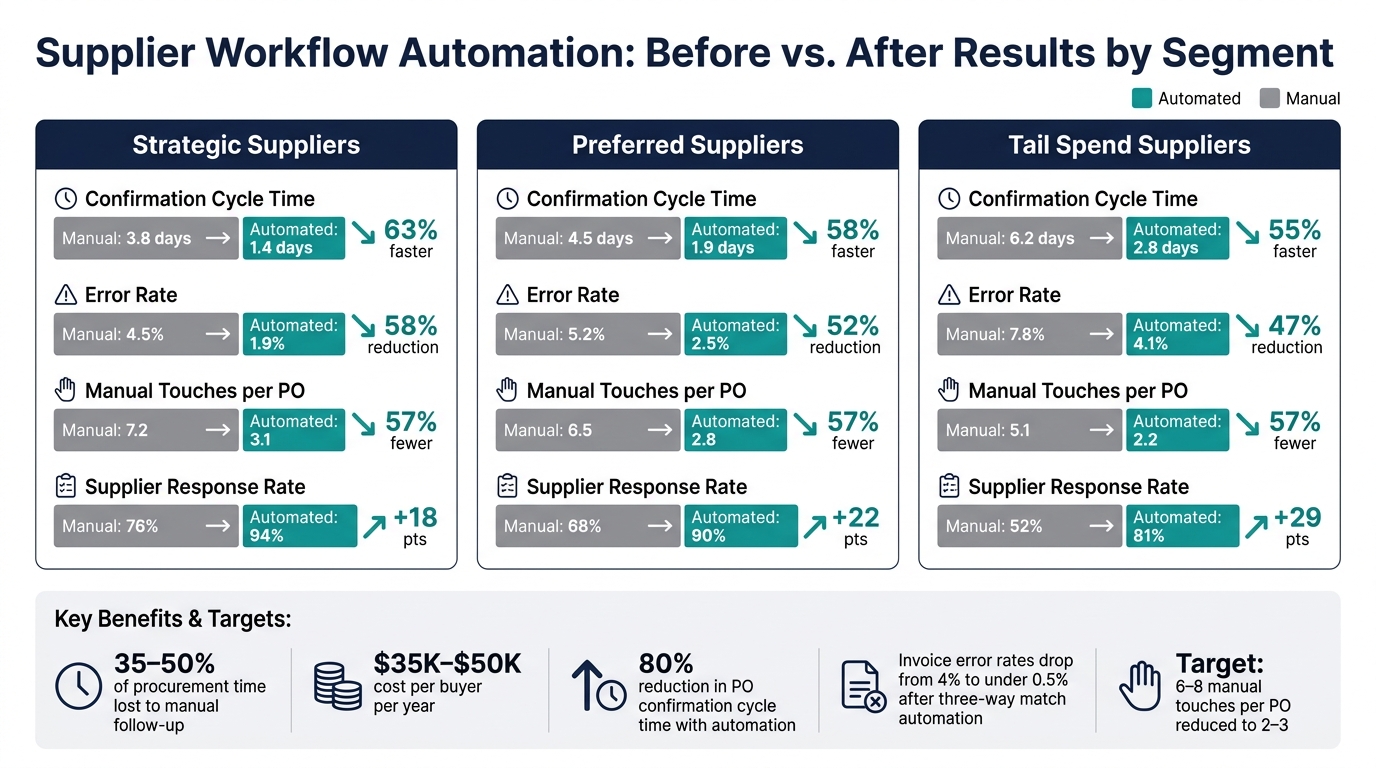
Supplier Workflow Automation: Before vs. After Results by Segment
Automated workflows only pay off when people use them. So before you talk about ROI, check two things first: suppliers are replying through the new channels, and your teams have stopped sidestepping the system. That’s the gut check. These metrics show whether the triggers and rules set earlier are changing day-to-day behavior.
Track Supplier Adoption and Internal User Adoption Separately
Adoption shows whether people are using the workflow. After that, you need to see whether usage is changing how work gets done.
Those are not the same thing. If you lump them together, you can miss the real problem.
For supplier adoption, measure both the supplier level and the transaction level. At the supplier level, track the share of in-scope suppliers that have finished technical onboarding and completed at least one automated PO, confirmation, or ASN in the last 30 days. Track automated spend share too. At the transaction level, track the share of POs where the supplier’s first response - confirm, reject, or change - was recorded in the workflow instead of by phone or email. Also look at digital document usage: what share of ASNs, invoices, and order confirmations comes through automated channels instead of email or paper.
For internal adoption, split the data by role. Track the percentage of eligible POs where buyers launched automated confirmation requests instead of sending one-off emails. Measure how often planners and AP analysts handle exceptions inside the workflow versus outside it. Then look at weekly logins and feature usage by role, like average weekly sessions per buyer or the number of automated follow-ups sent per planner. If a team is still chasing PO follow-up outside the workflow, the automation isn’t doing its job for that team, no matter what suppliers are doing.
Track these views in the ERP by role and supplier segment.
Monitor the KPIs That Show Improvement
Once adoption is in place, shift to the metrics that show operating impact.
The goal is simple: move from workflow activity to business results. Measure the same areas you automated - onboarding, PO confirmations, exceptions, and invoice matching. Start with these six KPIs:
| KPI | Definition | Why It Matters |
|---|---|---|
| Confirmation cycle time | Avg. days from PO release to supplier confirmation | Shorter cycle = earlier risk visibility, less safety stock |
| On-time delivery (OTD) rate | % of PO lines delivered on or before confirmed date | Directly tied to fill rate and customer OTIF |
| Exception rate per PO | Avg. exceptions (date/qty/price/quality holds) per PO | Measures exception volume and rule effectiveness |
| Invoice match rate | % of invoices matched on first pass; touchless share is the % posted and approved with no manual intervention | Drives AP productivity and reduces payment delays |
| Onboarding cycle time | Days from supplier selection to ready-to-transact | Measures agility and supply risk exposure |
| Manual touches per transaction | Avg. manual touches per PO or invoice | Baseline of 6–8 touches per PO should drop to 2–3 with automation |
To tie these gains to ROI, translate them into working capital measures like inventory days of supply, safety stock, days payable outstanding, and early-payment discounts. Review trends at 30, 60, and 90 days after go-live. And don’t just look at the automated group in isolation. Compare automated and non-automated PO populations side by side so any improvement is tied to the workflow, not guesswork.
Compare Pre-Automation and Post-Automation Results by Supplier Segment
Segment-level results show whether gains are broad or stuck in a few pockets.
At the 90-day mark, one of the most useful cuts of data is a comparison by supplier segment. It shows where automation is working, where rules need tuning, and where change management still hasn’t landed.
| Supplier Segment | Mode | Avg. Confirmation Cycle Time (days) | Error Rate (%) | Manual Touches per PO | Supplier Response Rate (%) |
|---|---|---|---|---|---|
| Strategic | Manual | 3.8 | 4.5 | 7.2 | 76 |
| Strategic | Automated | 1.4 | 1.9 | 3.1 | 94 |
| Preferred | Manual | 4.5 | 5.2 | 6.5 | 68 |
| Preferred | Automated | 1.9 | 2.5 | 2.8 | 90 |
| Tail | Manual | 6.2 | 7.8 | 5.1 | 52 |
| Tail | Automated | 2.8 | 4.1 | 2.2 | 81 |
The pattern here can tell you a lot, fast. If strategic suppliers are doing well but tail suppliers are dragging, that usually points to a change management issue or rules that are too hard to follow at the tail end. In that case, simplify onboarding and adjust communication cadence. If preferred suppliers still show high error rates after 90 days, look at data quality and rule design before pointing fingers at the workflow.
Use the segment view to aim rule changes and change management where they’ll matter most. It also helps you decide which supplier group to expand next.
Roll Out by Supplier Group and Build a Governance Model
Start the Pilot with High-Volume or High-Exception Suppliers
Use the 90-day segment comparison to rank your pilot candidates. A good pilot group usually includes 10 to 30 suppliers that account for 20% to 40% of monthly PO lines. That gives you enough activity to see clear patterns without turning the pilot into a giant rollout on day one.
Use ERP filters for volume, exception rate, and business impact. The best pilot candidates are suppliers with repeated late confirmations, frequent date changes, or high expedite costs. These are the cases where friction shows up over and over, so even small process fixes can save time fast.
That said, don’t treat the pilot like a stress test for your most fragile supply lines. Leave out suppliers tied to critical A-items or components linked to more than $500,000 in monthly revenue if a delay could create production delay risk. Also leave out suppliers in contract renegotiation or active quality remediation. Those situations already have enough moving parts.
Keep the pilot scope tight: onboarding and PO acknowledgment. Set 60-day targets to cut PO follow-up by 25% to 30% and reach 90% confirmation within three business days. Use the prior 60 to 90 days as your baseline so you can compare results against normal operating conditions.
Use a Phased Rollout Table to Prioritize Each Supplier Segment
Use the table below to pick the next rollout wave.
| Rollout Option | Expected ROI | Implementation Complexity | Training Effort | Service-Level Risk |
|---|---|---|---|---|
| High-Volume / Suppliers with Frequent Exceptions First | High - direct labor savings, fewer expedites | Moderate - rules-focused, mostly email-based | Moderate - buyer-centric change management | Moderate - frequent issues, but not always production-critical |
| Strategic Suppliers First | High - impacts core spend and service levels | High - complex contracts, EDI, custom integrations | High - deep process change, joint design sessions | High - production-critical, low tolerance for disruption |
| High-Risk Suppliers First | Moderate - risk avoidance, tighter controls | High - compliance-heavy, stricter rules | Moderate - structured communication focus | High - compliance and supply continuity exposure |
| Long-Tail Suppliers First | Moderate - high volume of small tasks, aggregate savings | Low - email-based, standardized workflows | Low - self-service guides, short videos | Low - non-critical items, easier to recover from issues |
For most mid-market manufacturers and distributors, high-volume suppliers with frequent exceptions make the best second wave after the pilot. The return shows up fast, the setup is easier to control, and the outcome is simple to explain to leadership.
After that, move to strategic suppliers once your rules and ERP integrations are stable. Long-tail suppliers can often run in parallel with standardized, low-touch onboarding. Platforms like Leverage AI can support that kind of scaled rollout without overloading the ERP team.
Conclusion: Building an Operating Model for Lasting Supplier Automation
Once the first rollout wave is done, lock the process into governance. If ownership is fuzzy, the system drifts. If ownership is clear, the process holds.
Here’s the split that tends to work best:
- Procurement owns supplier segmentation and rules
- Operations owns exceptions and SLAs
- Finance owns vendor master controls and AP metrics
- IT owns integrations, data quality, and security
A cross-functional Supplier Automation Steering Committee should meet monthly during rollout and quarterly after that. Its job is to approve rule changes and new workflows before they create confusion downstream.
The full path is pretty straightforward: map current workflows, capture baseline metrics, choose ERP-based triggers that reflect actual business events, apply rules by supplier type and risk tier, automate the highest-value interactions first, measure adoption and operating impact separately, and expand in waves using segment data to guide each move.
Clean vendor master data and a documented governance playbook are not side tasks. They’re what keep the automation aligned as suppliers change, product lines grow, and ERP configurations shift over time.
FAQs
How do we know if our ERP data is clean enough for automation?
Your ERP data is clean enough when supplier master data and PO fields are consistent, complete, and checked. Vendor records, item and location data, and PO status updates should line up correctly and stay in sync in real time, with automated checks catching issues early.
Start with a small pilot. You want to see high pass rates on validation, low exception volume, and a clear audit trail for every change.
Which supplier workflow should we automate first?
Start with PO acknowledgments and ship-date confirmations from supplier emails. Pull in PDFs and other attachments when needed so the full reply is part of the record.
Set a 48-hour no-acknowledgment SLA. If no one replies in that window, send a reminder. If there’s still no response after that, escalate it inside your team.
Once a reply comes in, automatically parse the PO number and line items, update the ERP, and send low-confidence cases to a person for review.
How long should a supplier automation pilot run?
A supplier automation pilot should run for four to six weeks. That window gives teams enough time to put the plan into motion, finish data integration, track accuracy, and collect feedback from internal buyers and participating suppliers.
During the pilot, focus on a few core checks: adoption, response times, and automation accuracy. That way, you can see what’s working before you scale. Move to a full rollout only after the pilot shows steady performance and hits the success criteria you set at the start.